Despite living in Ireland, a country with copious amounts of rainfall, a couple of weeks ago the mains water supply to my area was cut off for over three days.
The outage was caused by infrastructural deficiency, rather than a water shortage of any other kind.
Due to the poor infrastructure, the mains pressure is lower than what you would see in other European countries, and most houses in Ireland have an attic tank, used both as a buffer and to increase the pressure on the taps in the house.
I always keep a few spare litres in case of an emergency, and tankers were made available to allow for people to get water until the situation was resolved.
Running water is the hallmark of civilisation, and being able to flush and wash hands would be really high on my priority list.
Having the attic water tank run too low risks damaging the pump, and it also means I would no longer have any running water. Over those 3 days I kept climbing up and down into the attic to physically open the tank lid and check if I could see the water level inside. I was able to top it up by dumping water directly inside. Even when the mains supply was restored, pressure was so low for the first day that the tank wasn’t actually filling back up.
Climbing up and down to the attic, carrying 10 or 20L of water in one go gets old fast.
Solutioning with ESPHome
Update 24 August 2026: I’ve noticed that the Chill-Divison repo is currently unavailable, and seems gone from GitHub. As those links are returning 404s, I’ve added links to my forked version.
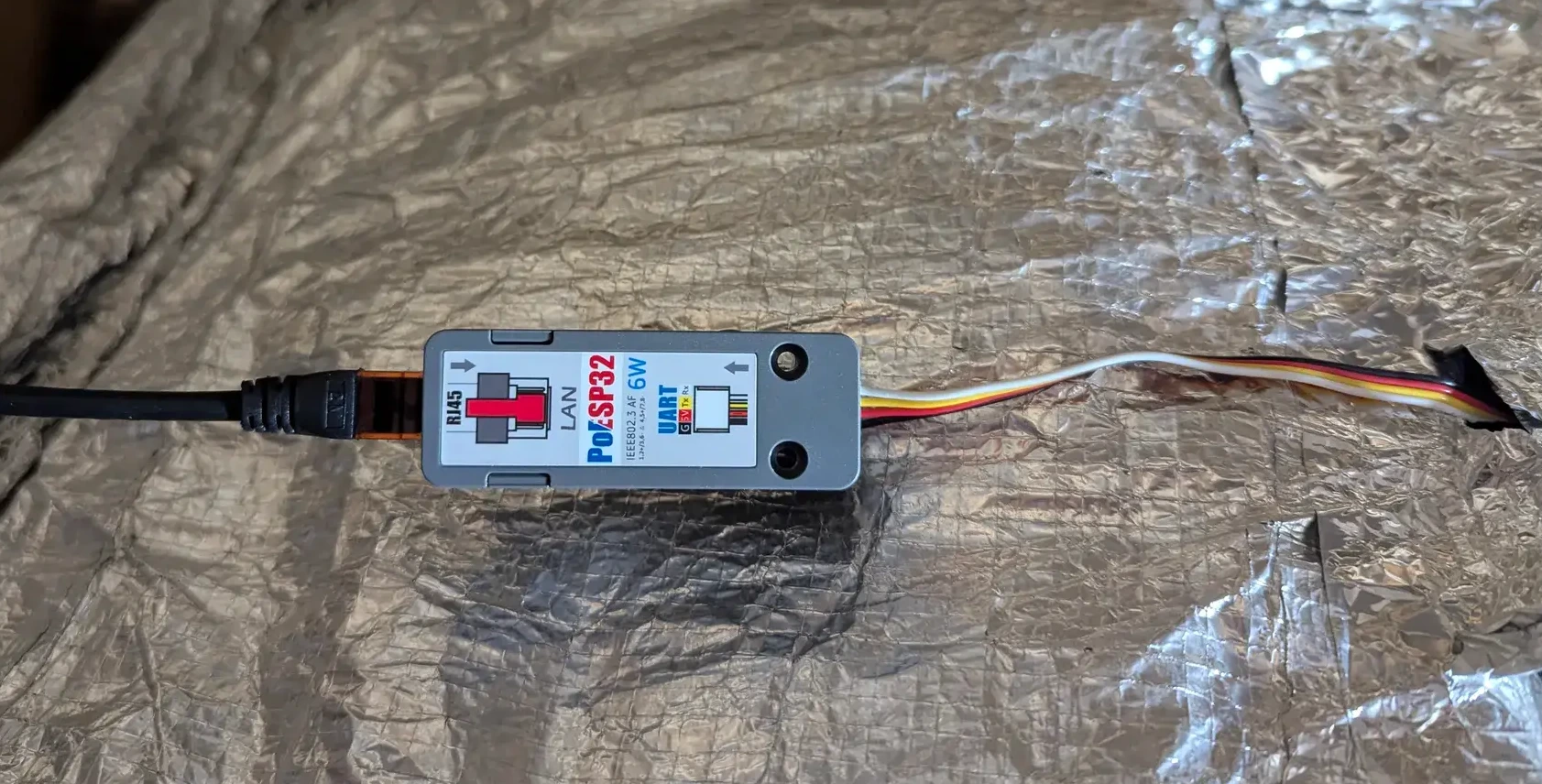
I decided to investigate and found out a few mentions of using ultrasonic range sensors as a way to measure the content of the tank. 15€ (with shipping) later and I received a M5Stack Ultrasonic-I2C sensor. I don’t have USB ports at hand in the attic, but I do have a PoE switch with a spare port, as well as a M5Stack PoE ESP32 unit that was sitting in my drawer.
Unfortunately, the PoE ESP32 does not have a USB port. Flashing it with ESPHome means connecting the pins to a serial flasher. This can be a bit of a pain, but I found instructions and photos here, and Chill-Division’s repo has sample ESP32 code for this unit(version on my fork).
Afterwards, putting the unit together was as simple as plugging in the I2C cable on both units, and flashing the unit with the ESPHome code. Again, Chill-Division’s repo is a lifesaver, as it also has ready made code for the Ultrasonic-I2C sensor(version on my fork).
ESPHome code
Below is the full code put together. The only real work is setting up the distances.
Configuring the distance thresholds
    const float min_distance = 235.0; #This is the measurement when the tank is full, in mm. You can use the reading from the actual sensor once installed, and update the ESPHome code OTA.
    const float max_distance = 750.0; #This is the measurement when the tank is approximately empty, in mm. My tank wasn't actually empty, but I measured roughly 50cm from the water level to the pump conector. The full-tank reading (235mm) plus the roughly 500mm gap to the pump connector, rounded up to 750mm for margin.
The code
ESPHome code for the M5Stack ESP32 PoE with he Ultrasonic-I2C sensor
substitutions: name: m5stack-poesp32-attic friendly_name: M5Stack POE Atticesphome: name: ${name}esp32: board: m5stack-core-esp32 framework: type: esp-idf# Enable logginglogger:# Enable Home Assistant APIapi: encryption: key: "your_generated_key"ota: - platform: esphome password: !secret m5stack_poesp32_attic__ota_password# Network interface for PoESP32ethernet: type: IP101 mdc_pin: GPIO23 mdio_pin: GPIO18 phy_addr: 1 power_pin: number: GPIO5 ignore_strapping_warning: true clk: pin: number: GPIO0 ignore_strapping_warning: true mode: CLK_EXT_INbutton: - platform: safe_mode id: button_safe_mode name: Safe Mode Boottext_sensor: - platform: version hide_timestamp: true name: "${friendly_name} ESPHome Version" entity_category: diagnosticexternal_components: - source: type: git url: https://github.com/cromelex/M5Stack-ESPHome/ ref: main components: sonic_i2ci2c: sda: 16 scl: 17 scan: true id: bus_1sensor: - platform: sonic_i2c i2c_id: bus_1 address: 0x57 name: "Ultrasonic Sensor 1" id: ultrasonic1 unit_of_measurement: mm update_interval: 10s filters: - filter_out: nan - lambda: |- if (x == 0) { return {}; // This filters out the reading } else { return x; // This passes the reading through } - sliding_window_moving_average: window_size: 10 send_every: 20 - platform: template name: "Reservoir Level" unit_of_measurement: "%" icon: "mdi:waves" update_interval: 60s # Or whatever update interval you prefer lambda: |- auto x = id(ultrasonic1).state; const float min_distance = 235.0; const float max_distance = 750.0; if (isnan(x)) { return NAN; // Don't publish a value if the sensor reading is invalid } // Clamp the sensor reading to be within your defined min/max range x = clamp(x, min_distance, max_distance); // Calculate the percentage float percentage = 100.0 - ((x - min_distance) / (max_distance - min_distance) * 100.0); return percentage;
Installing the unit
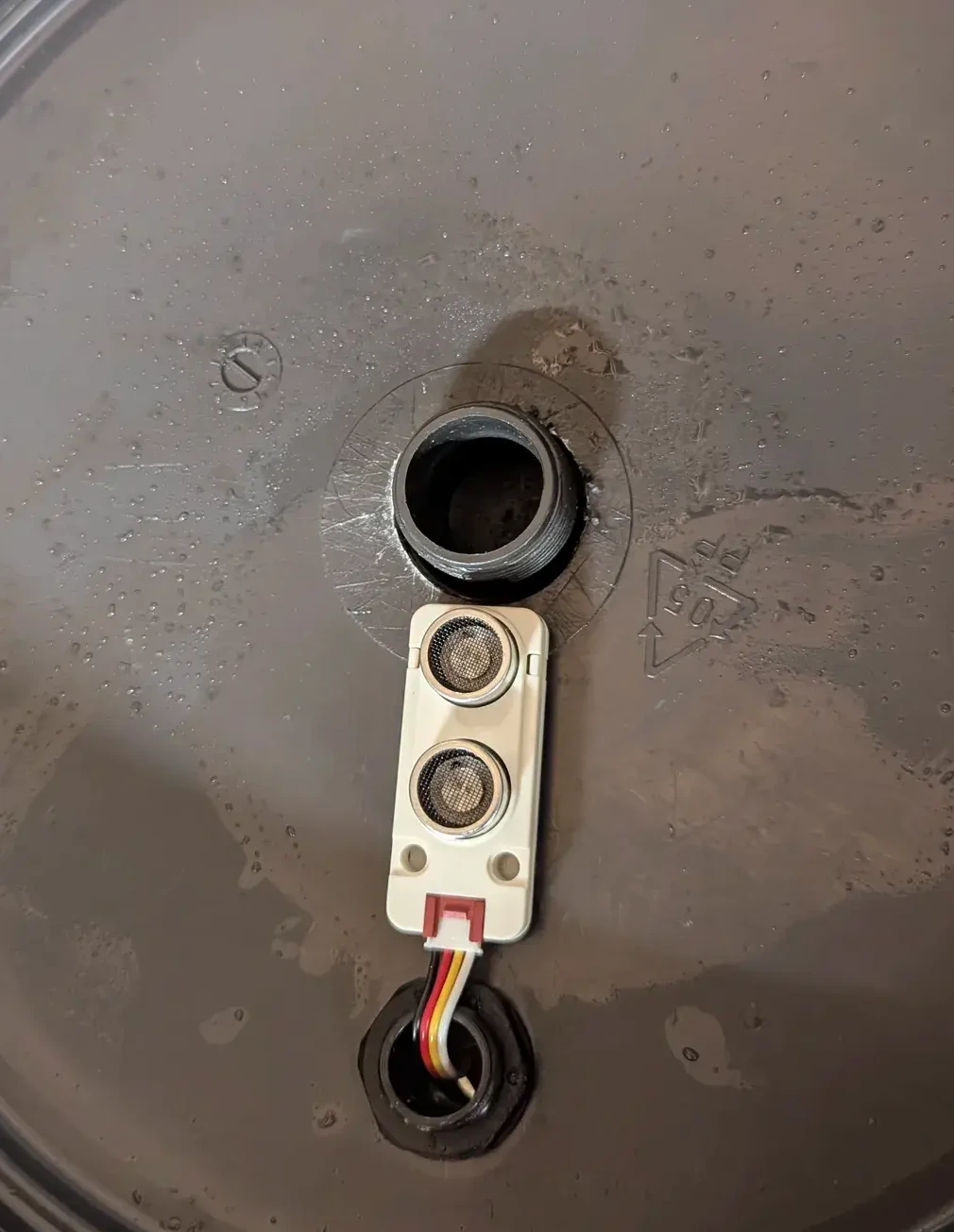
I was able to install the unit inside the tank using an existing small cap on top of the tank. There is a valve on the tank to prevent it from overfilling, so there is a gap of some 20cm between the highest water level and where the sensor sits. The intake pressure is always quite low so I am not worried about water or even splashes ever hitting the sensor. You can always use hot glue on the connector to provide some additional protection against splashes and humidity.
The ultrasonic distance sensor installed on the top cover of the tank.
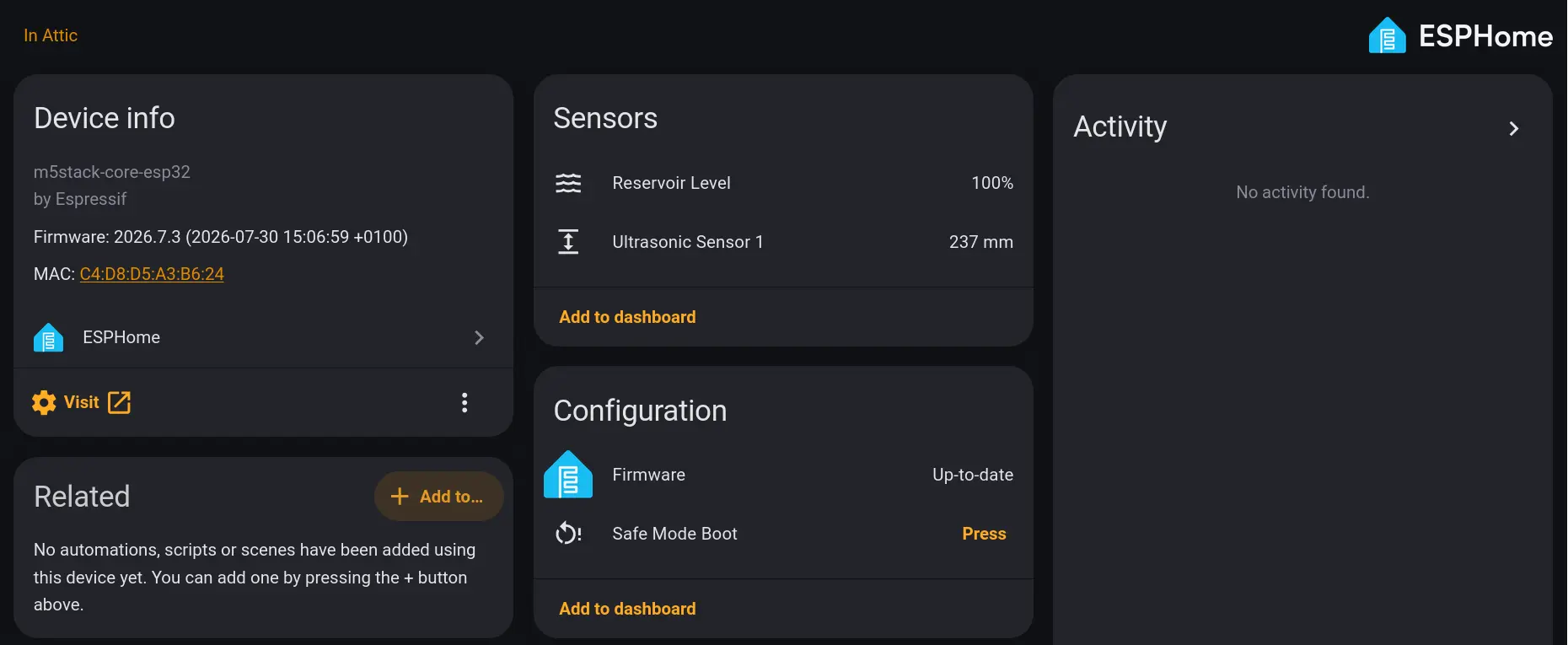
Once I had it installed it was only a matter of taking some physical measurements (water distance at it’s highest point, vs measured at lowest), cross-checking against the measurements from the device itself, input those measurements on the ESPHome code, and the template automatically returns a percentage.
The sensor in Home Assistant, with the tank level as a percentage.
Low water level notifications
On a day-to-day, this information isn’t really something I would need or want to monitor.
To make it actionable and usable, I created an automation to send automatic notifications once the level drops below 50%, and then again at 30% and 20%.
This should give me enough room to manage the water usage whenever the infrastructure fails again.
I use a numeric state trigger leveraging the Reservoir Level exposed by the device, referenced below as sensor.m5stack_poesp32_attic_reservoir_level
The Home Assistant automation to notify on low water level.
alias: Attic Tank Leveldescription: Notifications on low attic tank leveltriggers: - trigger: numeric_state entity_id: - sensor.m5stack_poesp32_attic_reservoir_level below: 50 for: hours: 0 minutes: 1 seconds: 0 id: attic_level_50 - trigger: numeric_state entity_id: - sensor.m5stack_poesp32_attic_reservoir_level below: 30 for: hours: 0 minutes: 1 seconds: 0 id: attic_level_30 - trigger: numeric_state entity_id: - sensor.m5stack_poesp32_attic_reservoir_level below: 20 for: hours: 0 minutes: 1 seconds: 0 id: attic_level_20conditions: []actions: - choose: - conditions: - condition: trigger id: - attic_level_50 sequence: - action: notify.all metadata: {} data: title: Water Outage data: timeout: 3600 message: The attic water tank is under 50% - conditions: - condition: trigger id: - attic_level_30 sequence: - action: notify.all metadata: {} data: title: Water Outage data: priority: high timeout: 3600 message: The attic water tank is under 30% - conditions: - condition: trigger id: - attic_level_20 sequence: - action: notify.all metadata: {} data: title: Water Outage data: priority: high timeout: 3600 message: >- The attic water tank is under 20%. Please refill manually with water reserves if necessary.mode: single
Wrapping up
That’s it. It’s a really low effort project, but it gives me actionable information and allows me to manage the situation a bit more easily.
Just last week we had another water outage due to a burst mains in the village, and having this sensors saves me the hassle of running up and down the stairs and worrying whether the water is being depleted to the point of running out and risking damage to the pump.